

What if one simple oversight could cost you weeks of financial support? Navigating the process of securing temporary income after job loss requires precision, but many applicants unknowingly stumble at the first step. This guide cuts through the confusion to help you avoid common pitfalls.
Before starting, ensure your browser is up-to-date. Michigan.gov recommends Chrome, Firefox, Edge, or Safari for full functionality. Outdated software may prevent forms from loading correctly or delay submissions.
Unemployment insurance provides temporary income to eligible workers who lose their job through no fault of their own. The state requires detailed employment history and wage verification, so gather pay stubs, employer contact details, and dates of recent work before applying.
Michigan’s system uses the Web Account Manager (MiWAM) portal for claims. Create your account early to familiarize yourself with its features. You’ll need to certify weekly benefits and report any income earned during this period.
Key Takeaways
- Use supported browsers to avoid technical issues
- Eligibility depends on recent earnings and job separation circumstances
- Prepare W-2 forms, pay stubs, and employer details
- MiWAM account management is critical for ongoing benefits
- Claims typically take 3-4 weeks for processing
- Errors in reporting can trigger audits or delays
Understanding Unemployment Benefits in Michigan
Eligibility for financial support after job loss hinges on meeting strict state guidelines. Two critical factors determine approval: your work separation circumstances and verifiable earnings history. Let’s break down the rules that govern access to these temporary funds.
Eligibility Criteria and Wage Requirements
To qualify, you must be jobless due to layoffs or reduced hours—not voluntary resignation. The unemployment insurance agency verifies your ability to work and active job search efforts. Wage calculations use your earnings from specific calendar quarters called base periods.
| Base Period Type | Time Frame | Minimum Earnings |
|---|---|---|
| Standard | First 4 of last 5 quarters | $4,008 in one quarter + 1.5x total |
| Alternate | Last 4 completed quarters | $25,198.20 total (2024 AEQ) |
If you don’t meet standard requirements, the Alternate Earnings Qualifier offers another path. This option considers wages across multiple quarters against the state’s average weekly wage.
How Employers Fund Unemployment Benefits
Michigan businesses pay into the unemployment insurance trust fund through state-mandated taxes. These contributions directly support approved claims. Employers also provide separation details that the UIA cross-checks with worker accounts.
Discrepancies between employer reports and claimant information often cause processing delays. Consistent weekly reviews by the agency ensure only eligible individuals receive benefits while actively seeking work.
how to file for unemployment in michigan: Step-by-Step Application Process
Starting your application correctly ensures timely processing of your benefits. Michigan offers three submission methods, each requiring careful attention to detail. Choose the option that best fits your needs while avoiding common mistakes.

Initiating Your Application Online
Create a MiWAM account through Michigan.gov/UIA. The online form takes approximately 45 minutes to complete. You’ll need:
- Social Security number
- Driver’s license or state ID
- Employment history for the last 18 months
Double-check all entries against your employer records. Discrepancies in wage reports or job separation details often cause delays. Save a digital copy of your submission confirmation for future reference.
Applying by Phone or In Person
Call 1-866-500-0017 weekdays between 8 AM and 4:30 PM for phone assistance. Prepare to verify your identity and employment history verbally. In-person visits require an appointment at regional unemployment insurance agency offices.
Avoid submitting multiple claims through different channels. The system flags duplicate applications, which can extend processing times beyond the typical 5 business days. Use your MiWAM portal to track claim status instead of calling repeatedly.
Gathering Required Information & Documents
Proper preparation prevents delays in benefit claims. Collecting precise records upfront streamlines the verification process and reduces follow-up requests from reviewers.
Essential Documentation Checklist
| Document Type | Details Required | Notes |
|---|---|---|
| Identity Proof | Social Security card & state ID | Non-expired, matching names |
| Employment History | Last 18 months of work dates | Include employer phone numbers |
| Wage Records | Pay stubs or W-2 forms | Organized by calendar quarters |
| Claim Details | Previous claim PIN (if applicable) | Found on determination letters |
Tips for Accurate Reporting of Wages and Employment History
Cross-reference pay stubs with bank deposits for exact earnings. Mismatched dates or amounts trigger manual reviews. Tax forms help confirm annual totals when quarterly data isn’t available.
Break employment history into defined periods: January-March, April-June, July-September, October-December. This matches the state’s base period calculations. Non-citizens must provide work authorization expiration dates alongside other documents.
Store digital copies of all materials in your MiWAM account. This creates an audit trail if questions arise later. Double-check employer addresses – outdated contact info slows verification.
Navigating Application Platforms and Tools
Streamlining your financial support process starts with mastering Michigan’s digital systems. The state’s web account manager simplifies tracking and managing claims through one secure platform.
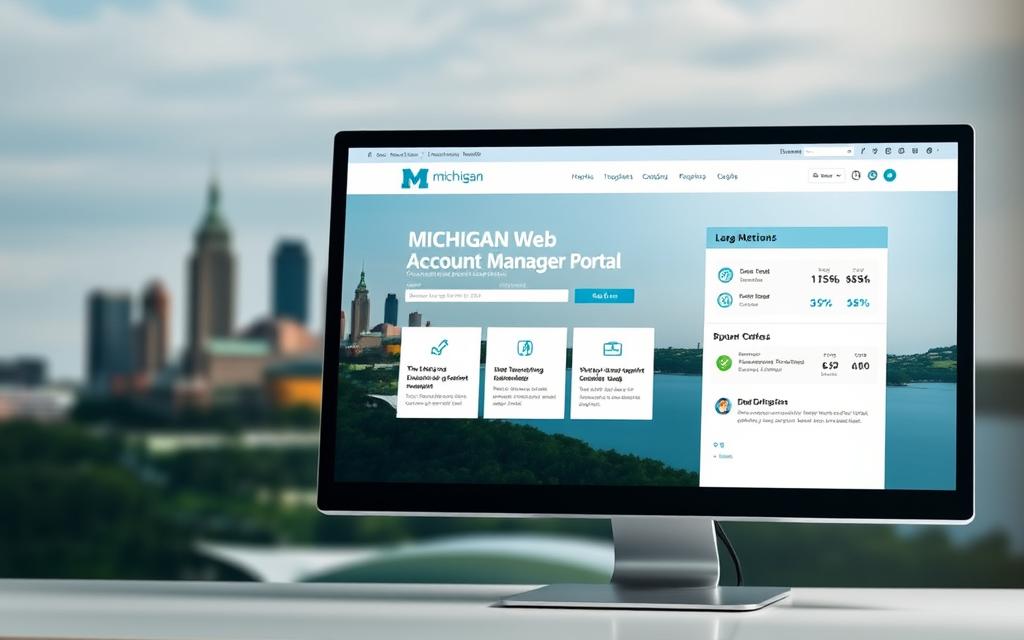
Utilizing the Michigan Web Account Manager (MiWAM)
MiWAM operates as your 24/7 hub for all benefits-related tasks. Log in using your Social Security number and PIN to access three core functions:
| Feature | Purpose | Frequency |
|---|---|---|
| Payment Tracking | Monitor deposit dates | Daily |
| Certifications | Confirm ongoing eligibility | Weekly |
| Document Upload | Submit wage proofs | As needed |
Link your bank account for direct deposits using routing and account numbers. This feature reduces payment delays compared to mailed checks. The portal’s economic dashboard provides real-time updates on claim reviews and workforce trends.
Update personal details immediately if your job search status changes. System alerts notify you about required actions or missing documents. Common issues like login errors often resolve by clearing browser cache or trying off-peak hours.
Weekly certifications remain critical for continuous benefits. Set calendar reminders to complete these before Sunday deadlines. MiWAM’s mobile-friendly design lets you manage claims from any device with internet access.
Dealing with Determinations, Protests, and Certification
Clear communication with state agencies ensures your financial support remains uninterrupted. Missing deadlines or misunderstanding official notices can jeopardize your access to critical resources.

Understanding Your Determination and Monetary Letter
The unemployment insurance agency sends a monetary determination letter after reviewing your claim. This document outlines:
- Weekly benefit amount based on past wages
- Maximum weeks of eligibility
- Calendar quarters used for calculations
Compare listed earnings with your records. Discrepancies often stem from employer-reported wages or incorrect base periods.
How to Protest a Determination if Needed
Submit written protests within 30 days if you disagree with the decision. Valid reasons include:
- Errors in wage reporting
- Misclassified separation reasons
- Omitted employment history
Upload evidence through MiWAM or mail supporting documents to the insurance agency. Legal counsel can strengthen complex cases involving employer disputes.
Maintaining Your Eligibility Through Timely Certification
Biweekly certifications confirm you meet ongoing requirements:
- Active job search efforts
- Availability for suitable work
- Reporting any earned income
Missed certifications pause payments until resolved. Set phone reminders before Sunday deadlines to avoid lapses. Keep copies of all submissions for one year post-claim.
Conclusion
Securing temporary income support demands precision at every stage. Successful claims begin with organized wage records and end with consistent follow-through. Verify all employment dates and earnings match your employer’s reports before submitting through MiWAM.
Michigan’s eligibility rules require proof of job loss beyond your control and active work search efforts. Update your account manager portal immediately if contact details or job status changes. Weekly certifications remain non-negotiable for continued benefits.
Use these tools to stay informed:
- MiWAM’s payment tracker for deposit dates
- UIA phone assistance for complex issues
- Digital document storage for quick access
Review determination letters carefully. Discrepancies in base period calculations or wage data require swift action – you have 30 days to submit a protest with evidence. Keep copies of all communications for 12 months post-claim.
Thorough preparation and timely responses streamline the process. Bookmark this guide as your reference for navigating each phase effectively. Your attention to detail now helps ensure financial stability during career transitions.


